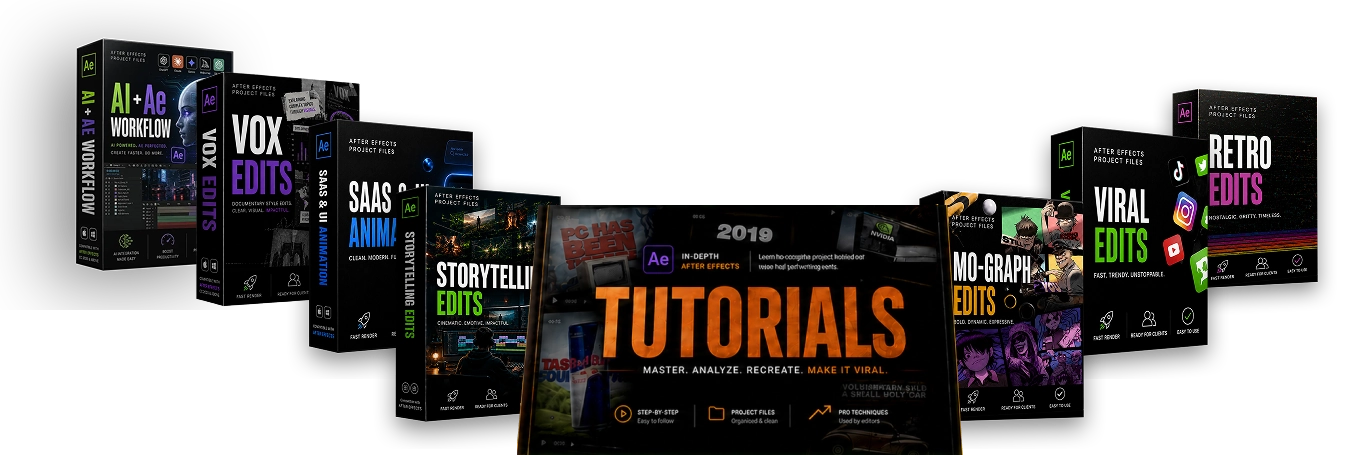
EarnEdits is a subscription library of Adobe After Effects project files and tutorials for video editors. This review covers what the official site says you get, what it costs, and what its license allows. We've based the details on EarnEdits' own pages and haven't tested the files in client work ourselves.
What is EarnEdits?
EarnEdits sells access to .aep project files that you open in After Effects, study, and re-edit. The company describes them as fully open project files rather than templates, so you work with the original timeline instead of filling in a locked layout. It's a better match if you want to learn how an edit was built or adapt it heavily than if you want a one-click result.
The library is organized into seven styles:
- Storytelling edits
- Retro edits
- Mo-graph edits
- SaaS and UI animation
- Viral edits
- AI and After Effects workflow
- VOX-style edits
The subscription also includes a tutorial library and a resources library, and EarnEdits says new project files are added weekly.
What does it cost?
When we checked the official plan page, it listed two options:
- Monthly: $23 per month
- Yearly: $87 per year, shown as a discount from $290
Both plans list full access to current projects, new weekly projects, and the tutorial and resources libraries, and EarnEdits says you can cancel at any time. At these prices, the yearly plan costs less than four months of the monthly plan. Prices can change and may differ between checkouts, so confirm the amount before you pay.
What can you use the files for?
This is the part worth reading if you edit for clients. Under the EarnEdits license, you can modify the files and export finished videos for client deliverables, commercial campaigns, social media, and monetized channels, with no attribution required.
You can't resell, share, or redistribute the raw project files or source assets, upload them to a marketplace, drive, or group share (even if modified), bundle them with other products for sale, or claim the raw files as your own work. The license says misuse can lead to account termination and potential legal action.
Who is it best for?
It suits working editors and motion designers who already use After Effects and want a steady supply of editable projects to learn from or adapt for short-form and client videos. It's a poor fit if you don't have After Effects or don't know your way around it, since you need to open and edit the projects yourself.
Things to keep in mind
- Check the refund terms for your purchase. EarnEdits' own policy gives a full refund within 14 days for orders made through its official website. Our link goes through ClickBank, whose standard refund window is 60 days, so check which terms appear at your checkout.
- Treat viral promises with caution. The sales page is built around the idea of viral results, but a project file can't guarantee how a video performs. Your idea, footage, and audience still matter.
- A subscription adds up. It's worth paying for if you'll use new files regularly. If you need only one or two projects, compare it against buying those files individually elsewhere.
- Reviews on the site aren't independent. The homepage shows feedback from creators, and we can't verify those accounts or results.
- Check compatibility. Before you commit to a project, confirm that it works with your version of After Effects and whether it needs any fonts or other extras.
The bottom line
If you already work in After Effects and would use open project files often, EarnEdits looks like a sensible option, and its commercial license is clearer than many. If you edit only occasionally, or you hope a template will make a video go viral by itself, it's harder to justify. Check the current plans and details on the official page below.